
nRF54L15 Tag
The nRF54L15 Tag is a great device as an off-the-shelf prototyping tag with:
- Competent microcontroller (nRF54L15 - M33 @ 128MHz)
- A Low Power Acceleremeter
- 6 axis IMU
- Environmental sensing
- Dual antenna for Channel Sounding
Building Firmware
The board name/target for this device is nrf54l15tag/nrf54l15/cpuapp.
For more details see the Zephyr board details.
Especially the Programming and Debugging section.
The nRF54L15 Tag and the nRF54L15 DK
The nRF54L15 Tag can be Programmed and Powered by the nRF54L15DK.
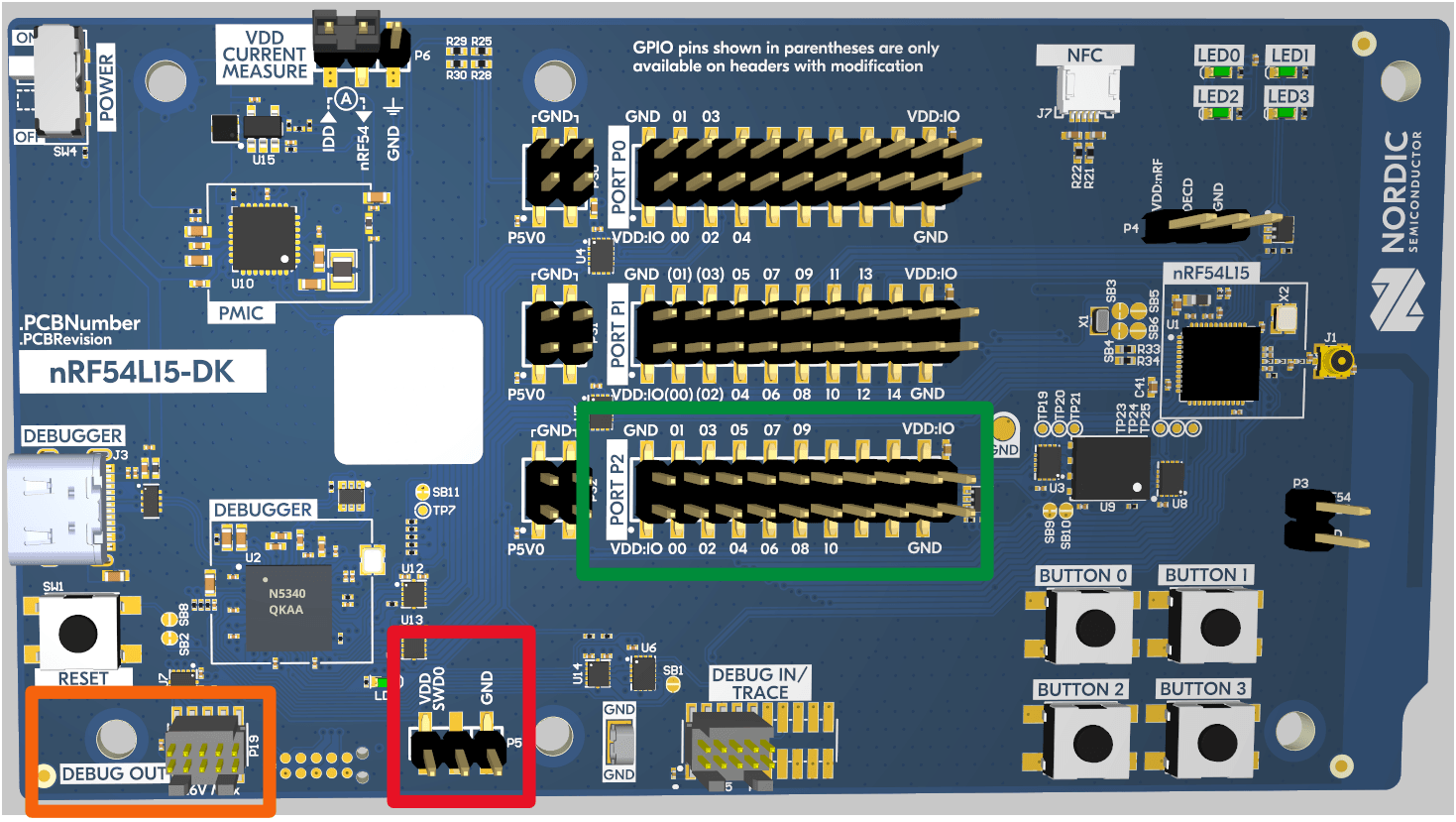
Programming
- Locate the "DEBUG OUT" port on the DK (Orange in the diagram above).
- Locate the programming connector on the TAG.
- The connector is keyed using the PCB, orient the tag to match the keying on the DK. (The components should be facing downwards and the battery upward)
- Insert the connector to the DK.
Powering the Tag
The nRF54L15 tag can either be powered by the onboard 3V coin cell battery, or optionally while plugged in to the nRF54L15DK (if configured).
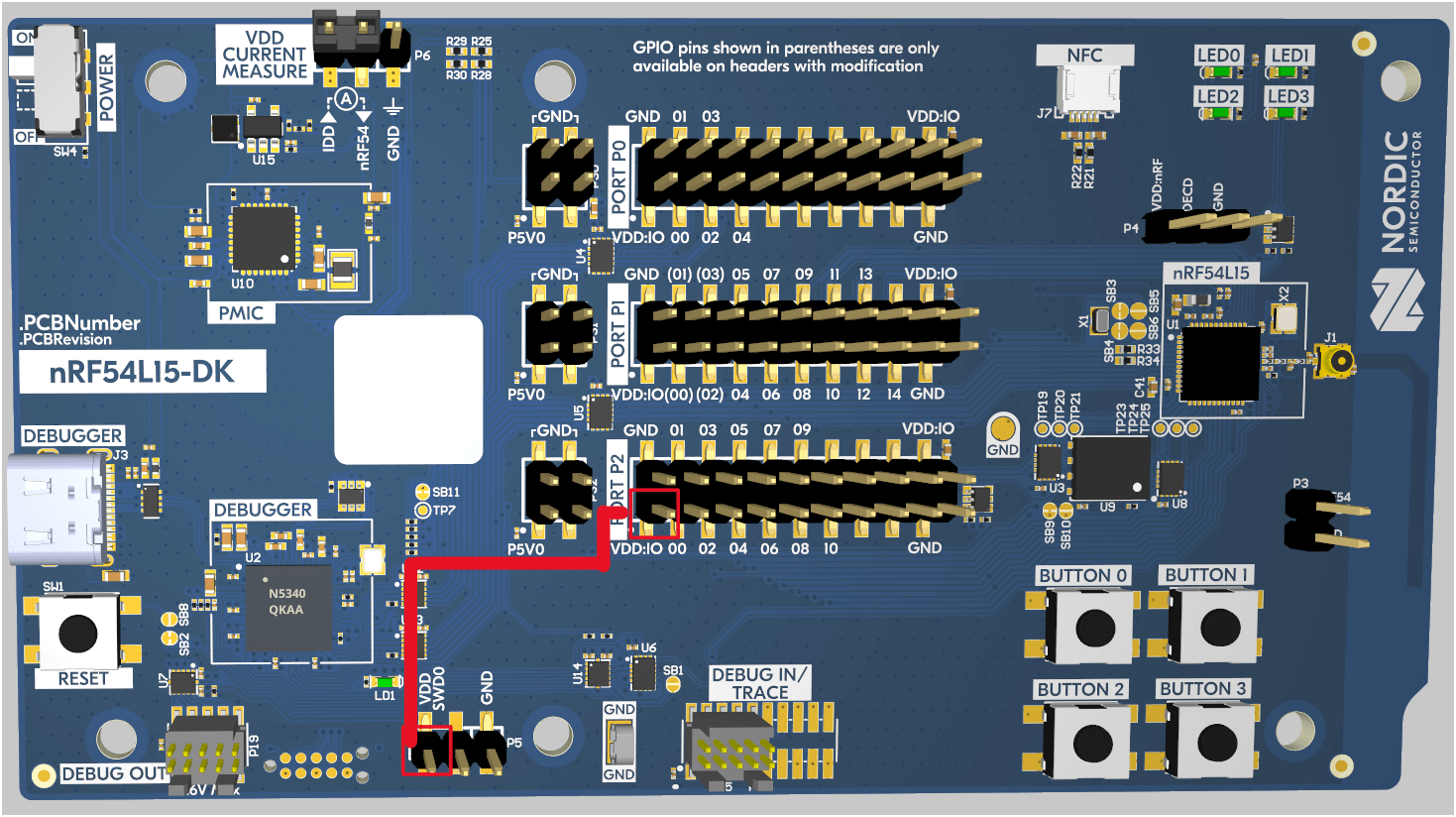
To power the board via the nRF54L15DK, the VDD SWD0 pin (next to the DEBUG OUT) - (Red in the diagram above)
can be used to power the board and the VDD:IO pins are suitable for this.
The easiest way to do this is to use a wire to bridge between the VDD SWD0 and the VDD:IO in Port P2:
Accessing Debug Logs.
Both device share the common JLink interface for debugging and programming. Luckily, this is not the same for the logging interface.
The nRF54L15DK's debug log is accessible through the a serial interface, while the nRF54L15 Tag's debug log is accessible through RTT interface. This means to access the DK's logs run:
infuse gateway --serial [SERIAL_PORT]
And for the nRF54L15 Tag, use the RTT interface:
infuse gateway --rtt nrf54l15_m33